Hi, I'm Sparky
SEA · Stellar Efficiency Agency
Unlocking Finder's hidden levels.

Imagine this
Moving files with Cmd+X — just like everywhere else on your Mac.
Converting any image format with a single right‑click. No browser needed.
Creating a new file right inside Finder — no extra app required.
This is what your Mac feels like with MenuSpark.
Chapter 1
Select a file, press Cmd+X, navigate, press Cmd+V. It just works — the way it always should have. MenuSpark brings true cut‑and‑paste to Finder, perfectly matching your muscle memory.
Due to how macOS scopes Accessibility permissions for Finder Sync Extensions, the global Cmd+X / Cmd+V hotkey couldn't reliably ship inside MenuSpark — so it now lives in a free, open-source standalone app called xSpark.
macOS never shipped a "New File" option in Finder. MenuSpark fixes that. Right-click any folder and create a blank file in the format you need — instantly, without opening any app.
Copied code or text? Right-click and choose "Paste as New File" — MenuSpark auto-detects the content type and creates the file with the right extension.
What Mac users say
"After installing, being able to quickly execute complex multi-step operations directly from the right-click menu is incredibly convenient and time-saving!"
Jason · Developer
"Just the feature to 'create a new file directly from clipboard code' alone makes this app completely worth every penny!"
Ryan · Office Worker
"Finally, a clean app uninstaller without needing to install bloated third-party cleaner apps! The AI renaming helper has also been a massive timesaver. Thank you!"
Sarah · Mac Power User
Chapter 2
AI Smart Rename turns cryptic filenames like IMG_4392.heic into meaningful, searchable names. AI Image Upscaler enhances low-resolution images with on-device AI — up to 16x upscaling, one click away.
100% On-Device Processing
Zero cloud uploads. Private by design.

Up to 16x upscaling with on-device AI. One click away.
Upscale images up to 16x with on-device AI. Crisp detail, one click away.
Stop searching "WebP to PNG" online. Convert web images to lossless PNG or JPG instantly with a right-click.
Screenshot in your clipboard? Paste it directly into any Finder folder as a real image file. Skip the Preview app dance.
Select multiple photos, receipts, or documents. Right-click to merge them into a single PDF instantly.
Chapter 3
Right-click to open a terminal at the current path — Terminal, iTerm2, or Warp. Even better: define custom shell commands that run on click. Launch claude, run git pull, or trigger your own automation scripts — all from the right-click menu.
Right-click a folder to compress it into a ZIP. Go further: define custom compression formats that output directly as .ipa, .epub, or .popclipextz. No more compress-then-rename.
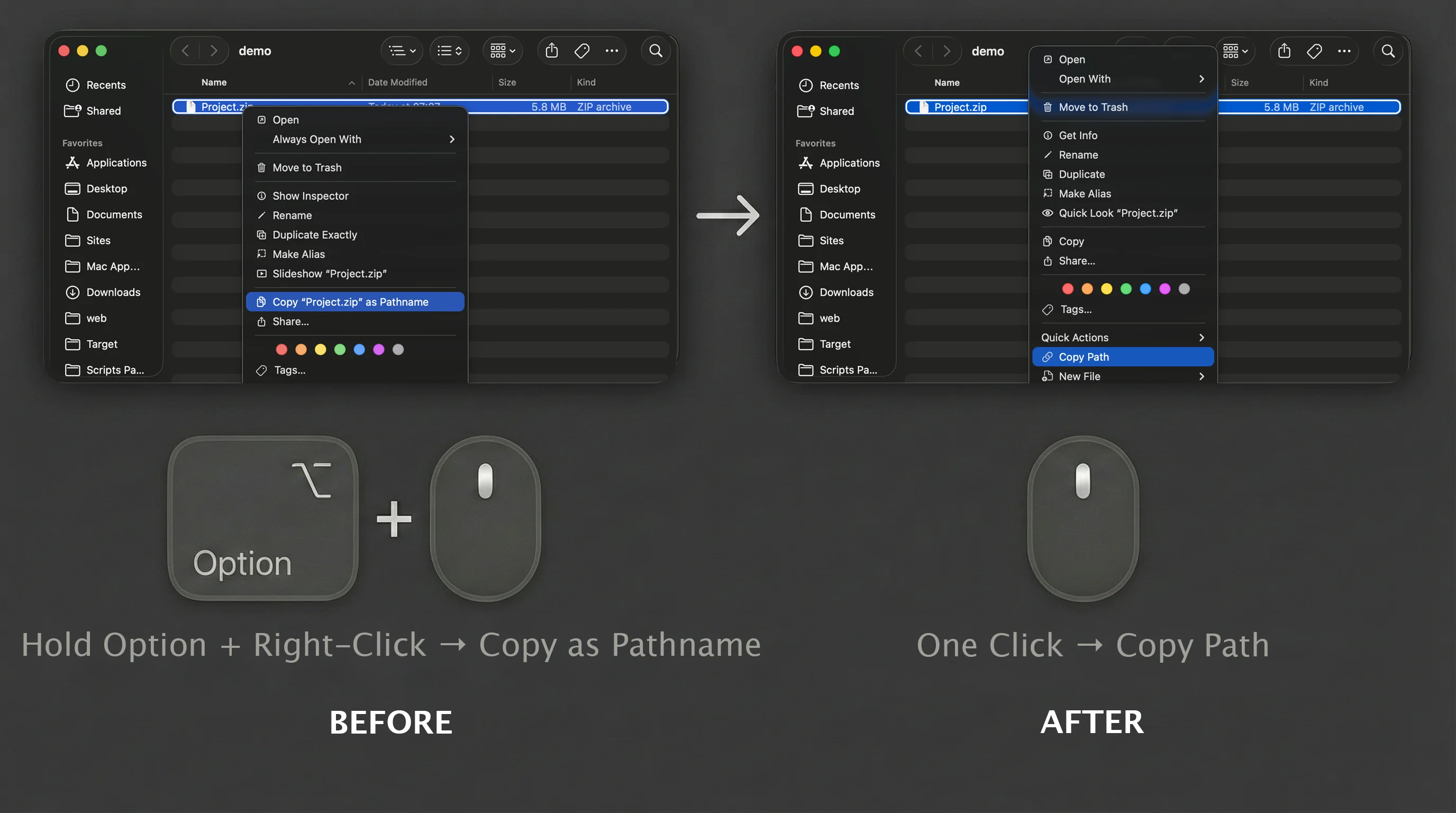
macOS hides "Copy as Pathname" behind Option + right-click — a hidden easter egg most users never discover. MenuSpark puts Copy Path right in your menu. One click, paste it into Terminal, VSCode, or anywhere you need it.
List View full of files? Can't find an empty spot to create a folder? MenuSpark keeps "New Folder" at the top of your right-click menu, always. No scrolling required.
One app replaces a stack of separate utilities.
← Swipe to compare →
| MenuSpark | Other Utilities | Built-in macOS | |
|---|---|---|---|
| Cut & Paste | ✓ | Partial | ✗ |
| New File / Folder | ✓ | 1 app | ✗ |
| AI Rename | ✓ On-device | Cloud only | ✗ |
| AI Upscaler | ✓ 2x–16x | 1 app | ✗ |
| Image Conversion | ✓ | 1 app | ✗ |
| ZIP / 7z | ✓ .ipa .epub | Basic | ZIP only |
| Terminal Scripts | ✓ | 1 app | ✗ |
| Clean Uninstall | ✓ | 1 app | ✗ |
| Menu Editor | ✓ Visual | ✗ | ✗ |
| Total Features | 25+ | 5–8 apps | ~5 |
| Price | Free / Pro from $0.99 | $50–100+ | Free (limited) |
| Privacy | 100% local | Varies | Local |
Chapter 4
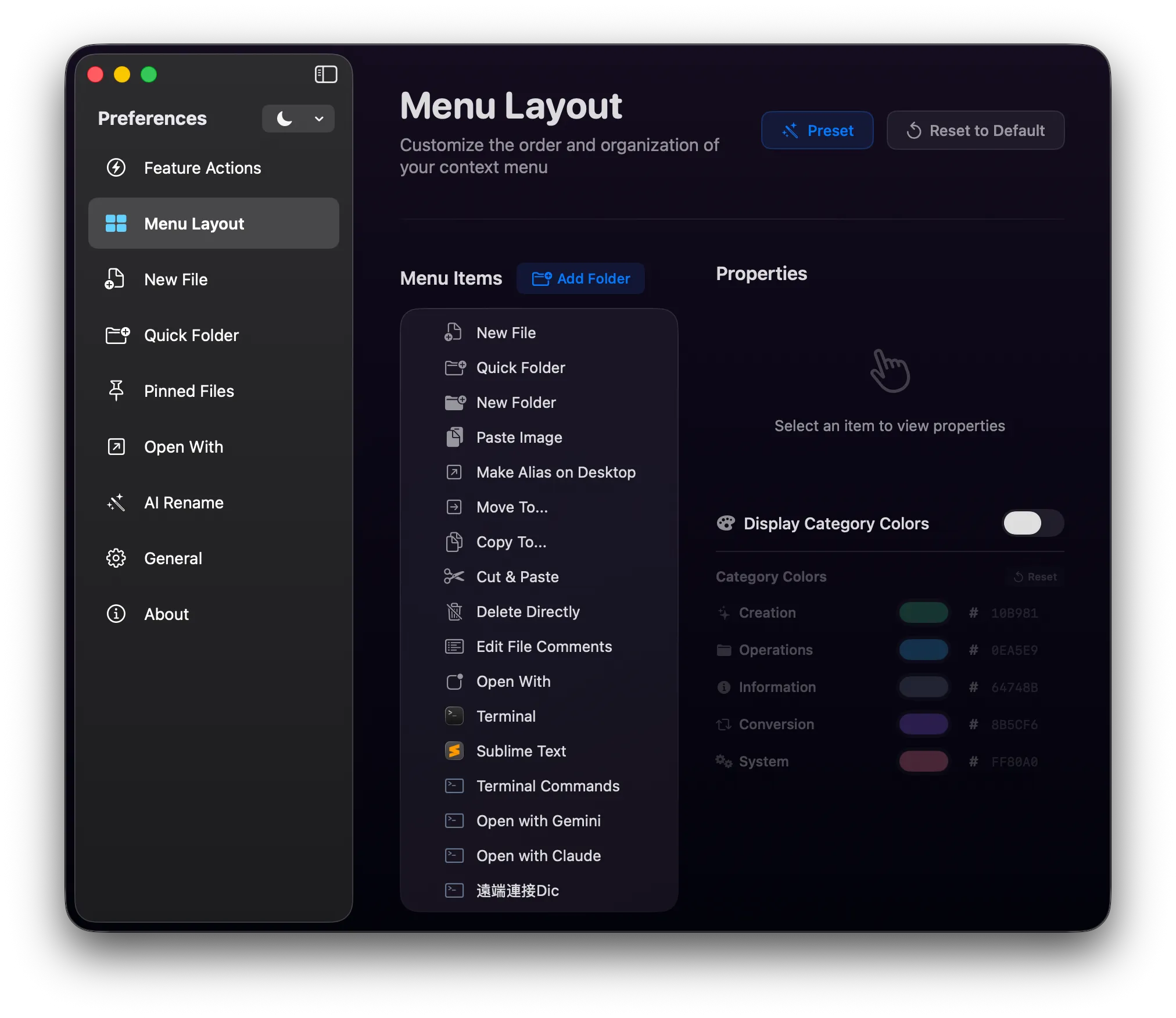
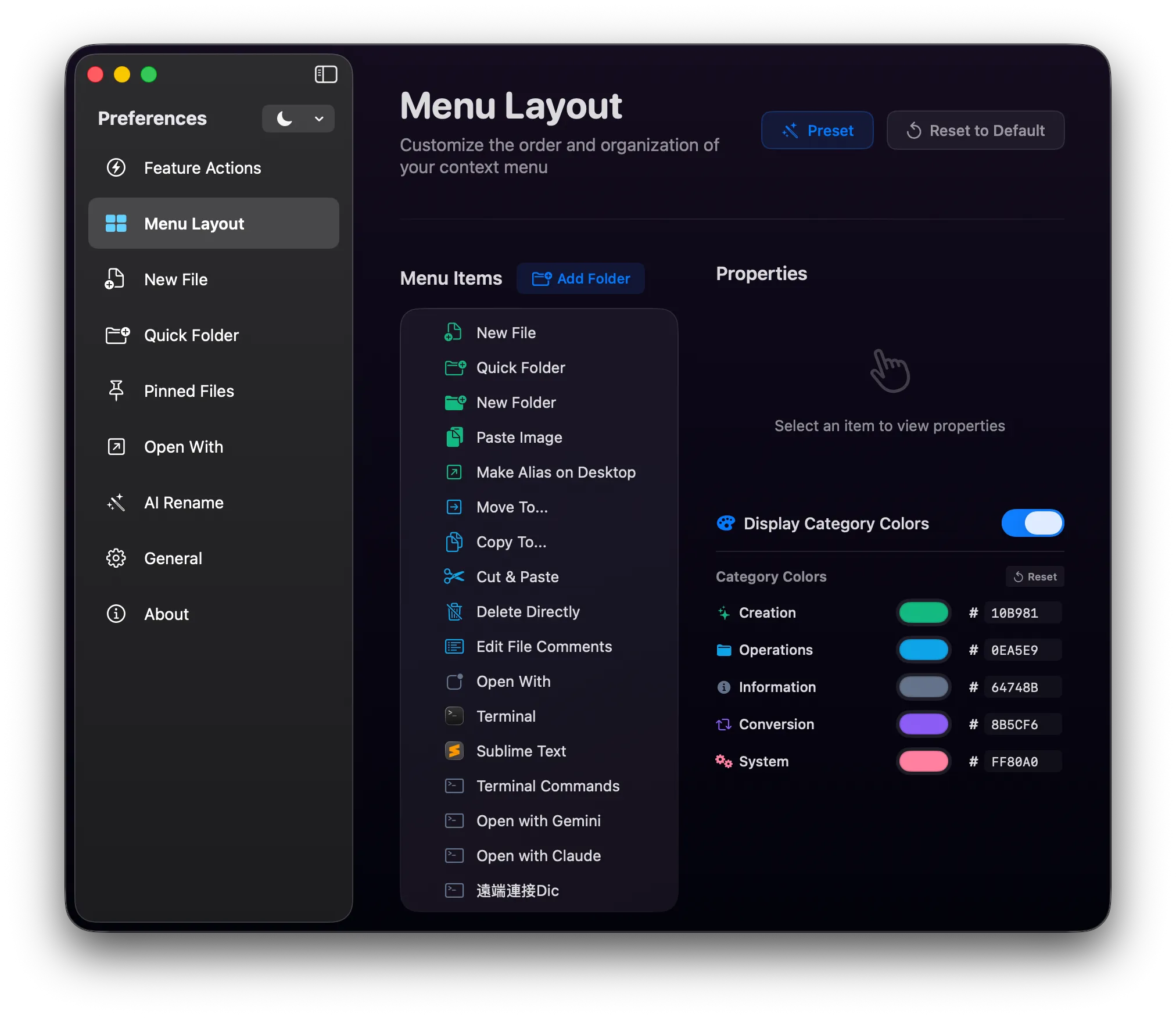
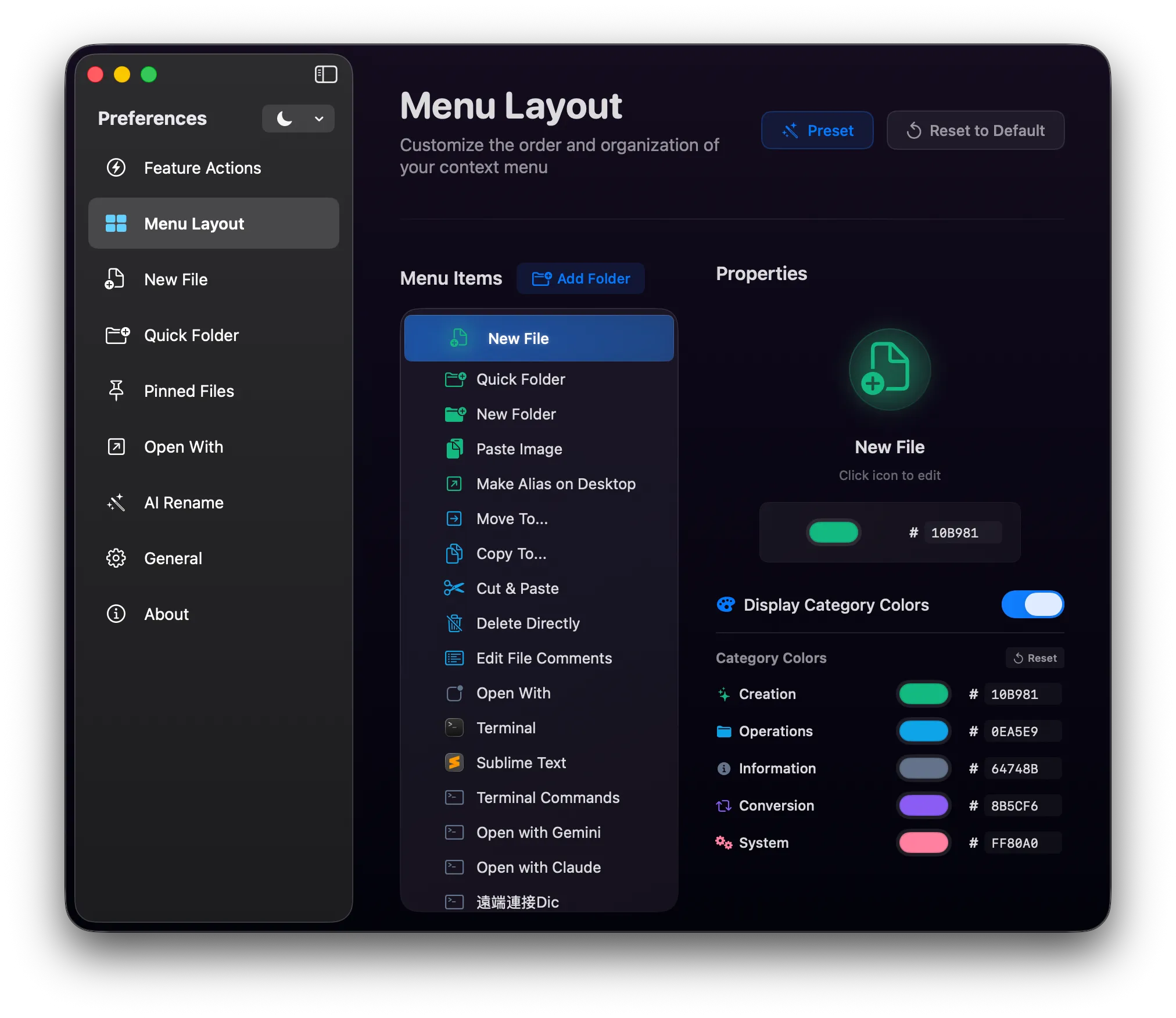
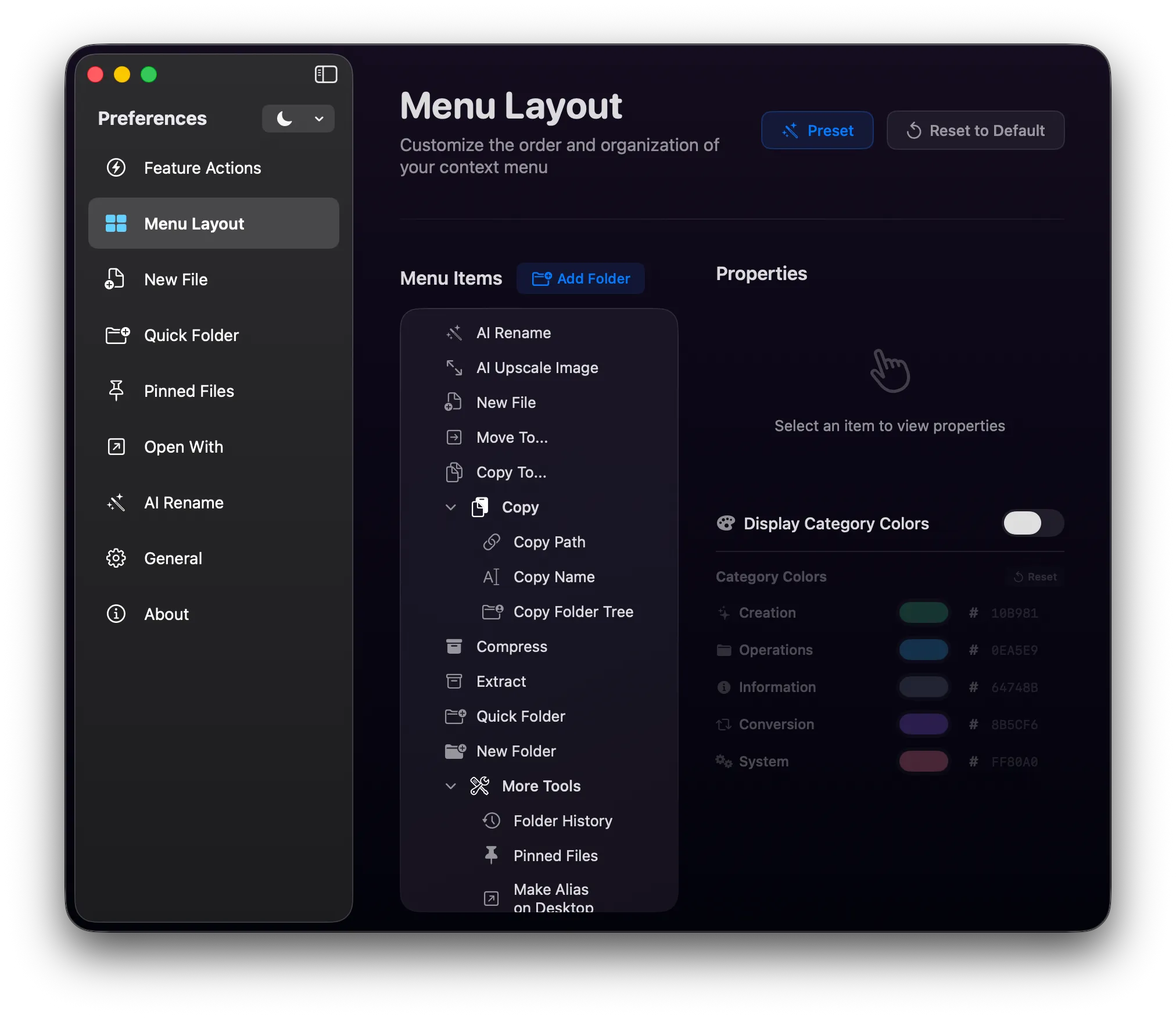
Your right-click menu is one of the most-used interfaces on your Mac. MenuSpark gives you a full visual menu editor to make it truly yours.
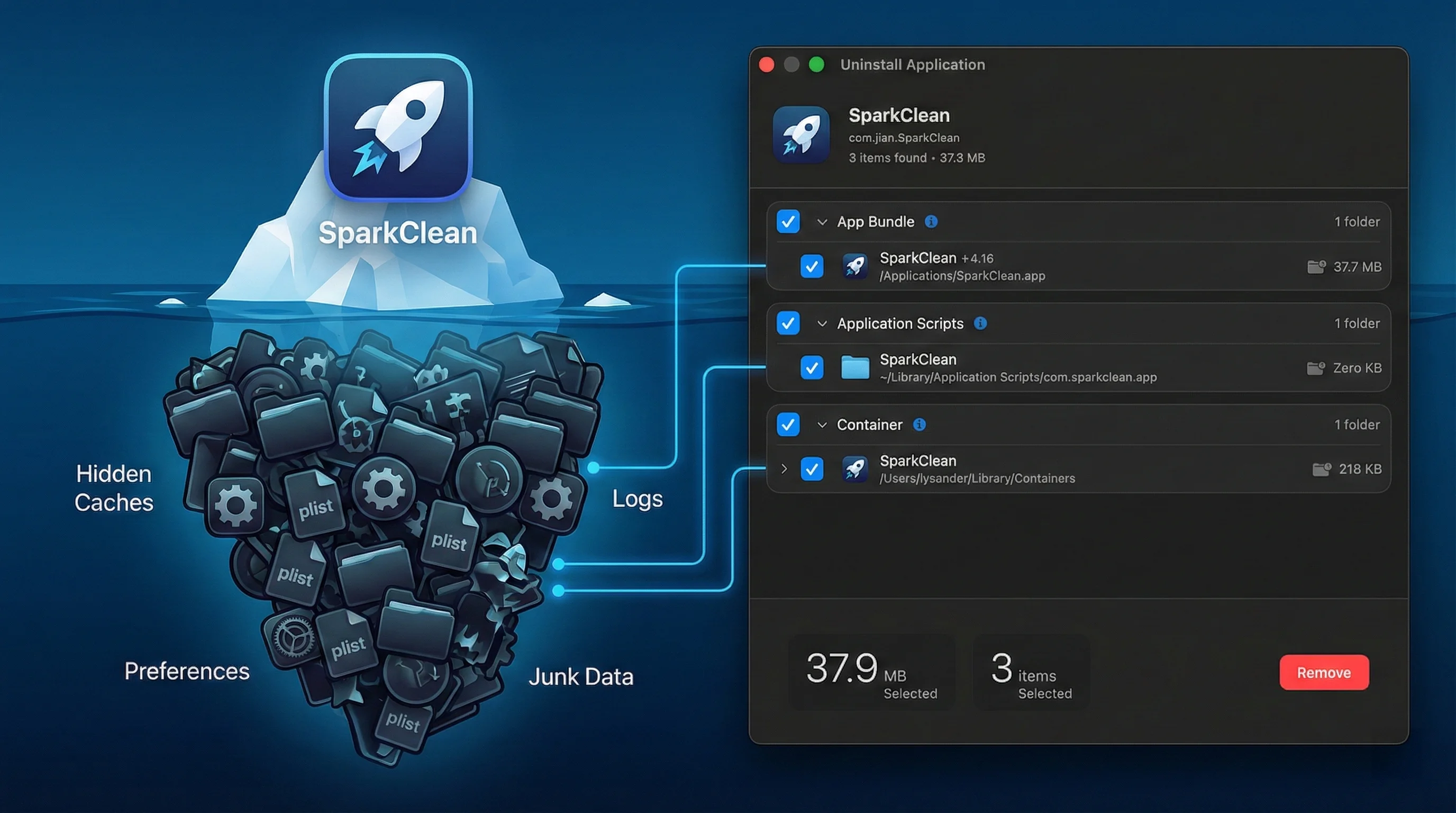
Dragging apps to Trash leaves behind hidden junk — preference files, caches, containers, login items. MenuSpark deep-scans and removes every trace in one click.
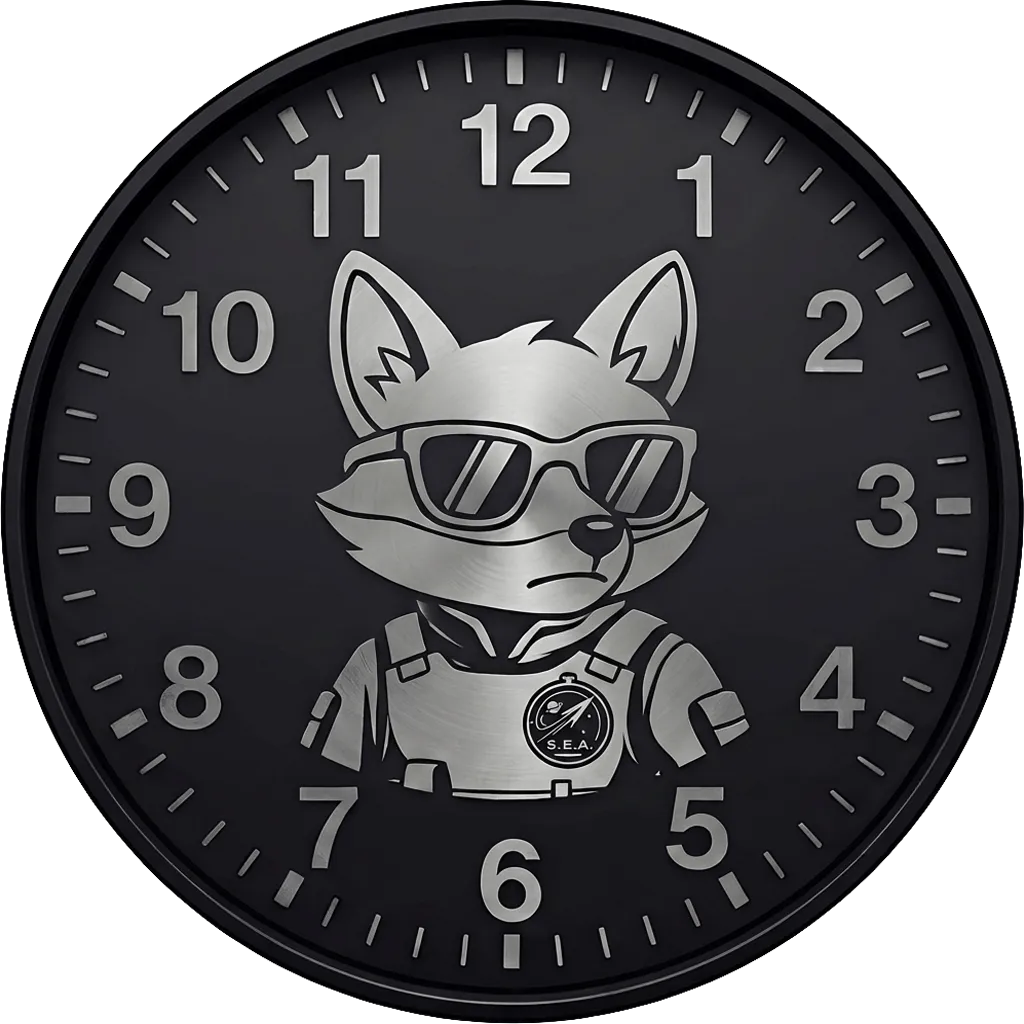
Efficiency shouldn't be boring. MenuSpark includes a fully custom, movable desktop clock widget featuring our tactical agent, Sparky. Keep your time sharp and your desktop stylish.
Enjoy basic tools forever. Upgrade to Pro subscription or license for advanced capabilities like lightweight AI Rename, AI Upscaler, and custom ZIP extensions.
Unlock all 25+ advanced tools
Upgrade anytime inside the app
What you'd pay separately
Ready to explore?
Everything you need to know about MenuSpark.
SEA is an abbreviation for "Stellar Efficiency Agency". It represents our core mission: crafting simple, high-performance tools for macOS that push the boundaries of digital productivity.
macOS caches the Finder extension menu, so the new language may not show right away. Open Terminal and run killall Finder, then press Enter. Finder restarts and the right-click menu reloads in the new language. (No files are affected — this only relaunches Finder.)
MenuSpark is a macOS Finder Extension that supercharges your right-click menu with 25+ productivity tools — Cut & Paste, AI smart rename, AI image upscaler, image format conversion, PDF merge, ZIP/7z with custom extensions, terminal scripts, clean app uninstall, and a full visual menu editor. Everything runs from one app, directly in your Finder workflow.
MenuSpark requires macOS 13.5 (Ventura) or later, and requires an Apple Silicon (M-series) Mac.
The Free version is free forever and includes basic features (Cut & Paste, Copy Path, New File, and basic ZIP compression). The Pro upgrade (available via Monthly, Yearly subscriptions, or a Lifetime license) permanently unlocks advanced features like lightweight AI Rename, AI Image Upscaler, custom ZIP extensions, format conversion, and clean uninstall. The AI and compression features are designed as lightweight, fast, and simple utilities.
AI renaming runs entirely on your Mac using the built-in processor — no internet connection required and no data leaves your device. It analyzes image content, EXIF data, and document text to generate meaningful filenames. You can also connect to a local AI server (LM Studio, Ollama) for additional model options. Supports 20+ file formats including images, documents, and videos.
No. MenuSpark is a "Local-First" app. All your data — settings, files, and AI processing — stays on your Mac. We do not have servers to receive your data, and we do not use any analytics, tracking, or advertising SDKs. See our Privacy Policy for full details.
After installing MenuSpark, go to System Settings → Privacy & Security → Extensions → Added Extensions, find MenuSpark in the list and make sure its Finder Extension is toggled on. Then right-click in Finder and you'll see the MenuSpark menu.
When you drag an app to the Trash, macOS leaves behind preference files, caches, containers, login items, and scripts scattered across your system. MenuSpark's uninstaller deep-scans for all associated files and removes them in one click — a truly clean uninstall. All scanning is done locally.
Many app formats (.ipa, .epub, .popclipextz, .appx) are actually ZIP archives with a custom extension. MenuSpark's Pro feature lets you compress a folder directly to these formats — no need to create a .zip first and rename it manually. Perfect for developers and creators who regularly build packages.
No! There is no 7-day limit. You can use MenuSpark's basic features (Cut & Paste, Copy Path, New File, etc.) for free forever. When you need more advanced or pro features (like lightweight AI Rename or custom ZIP extensions), you can choose to upgrade.
You can upgrade directly inside the app. We offer flexible pricing options to fit your needs: Monthly subscription ($0.99/mo), Yearly subscription ($9.99/yr), or a Lifetime License ($24.99 one-time purchase) to own all current and future Pro tools forever. All transactions are securely processed by the Apple App Store.
Yes. MenuSpark lets you open Terminal at the current folder, and you can configure custom shell scripts that run from the right-click menu — for example, launching Claude Code CLI, running git pull, or any command you use frequently. Scripts are fully customizable in MenuSpark's settings.